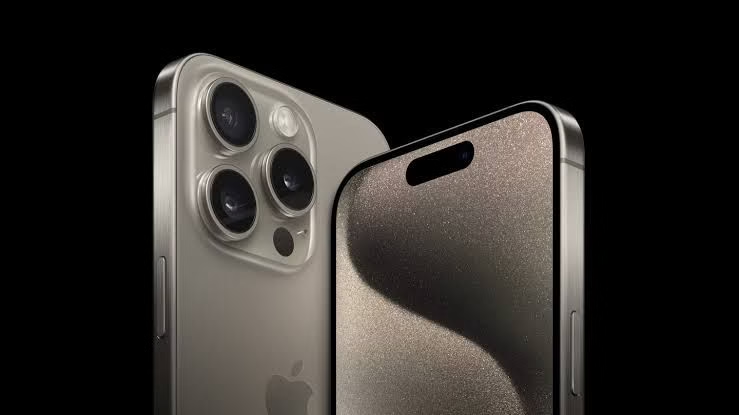
You found the perfect iPhone 14 Pro on Jiji. The price is right. The photos look good. The seller seems genuine. But before you transfer that money, you need to understand something. The online phone market in Nigeria is full of scammers waiting for their next victim.
According to Tribune Online’s guide, buying second-hand gadgets in Nigeria can save you a lot of money, but if you’re not careful, it can also cost you more than you bargained for. From fake phones to stolen devices and deals that disappear once the seller has your money, it’s easy to fall victim if you’re not street-smart.
The scam industry in Nigeria is massive. Al Jazeera reported that in a single operation in Lagos in December 2024, authorities arrested 792 suspected cybercriminals. While that operation focused on crypto scams, the phone selling scam market is just as active and targets everyday Nigerians looking for good deals.
Let me walk you through eight critical steps you absolutely must take when buying a used flagship phone online in Nigeria. Skip even one of these, and you’re gambling with your money.
Step 1: Verify the IMEI Number Before You Even Consider Buying
This is your first and most important line of defense. Every phone has a unique 15-digit IMEI number that’s like a fingerprint. According to Tribune Online’s checklist, checking the IMEI is crucial because it’s the way you’ll know you’re not about to purchase a stolen phone.
Don't MIss This Article

Here’s exactly what you need to do. Ask the seller for the phone’s IMEI number before meeting or paying. They can find it by dialing *#06# on the phone. Once you have that number, verify it online immediately. Websites like IMEI.info or imei24.com allow you to check if the device has been reported stolen or blacklisted.
A blacklisted IMEI means the phone has been reported stolen or lost, and it won’t work properly on Nigerian networks. Even if you buy it cheap, it’s worthless because networks will eventually block it. You’ll be left with an expensive paperweight, and worse, you could face legal problems for possessing stolen property.
When you meet the seller, dial *#06# yourself to confirm the IMEI matches what they told you. Then check that same number against what’s printed on the phone’s box and what shows in Settings under About Phone. All three should match exactly. If they don’t, walk away immediately. Mismatched IMEI numbers usually mean stolen phones or phones with swapped parts.
Don't MIss This Article

For iPhones specifically, you need an extra check. Go to Apple’s Check Coverage website and enter the IMEI or serial number. Apple will tell you if that number is legitimate, what model it belongs to, when it was purchased, and whether it’s still under warranty. If Apple says the number doesn’t exist or belongs to a different model, you’re dealing with a fake or tampered device.
Step 2: Check for iCloud Lock (iPhone) or Google Account Lock (Android)
This is where many Nigerian buyers get burned, especially with iPhones. An iCloud-locked iPhone is completely useless to you. You cannot set it up, you cannot use it, and there’s no legitimate way to unlock it if it’s still linked to someone else’s Apple ID.
Before buying any iPhone, ask the seller to show you that it’s not iCloud locked. They should be able to go to Settings, tap their name at the top, then scroll to Find My and show you that Find My iPhone is turned off. If they can’t turn it off or if it asks for a password they don’t know, the phone is locked and worthless to you.
You can also check iCloud lock status without having the physical phone. Go to iCloud.com/find and ask the seller for the phone’s IMEI or serial number. Enter it there. If the phone shows up as linked to an Apple ID that isn’t theirs, it’s locked.
For Android phones, check for Google account locks. Go to Settings, then Accounts. Make sure no Google accounts are signed in. If there’s a Google account still logged in and the seller doesn’t know the password, you’ll face factory reset protection when you try to set up the phone. This makes the phone unusable until you can verify the previous account, which you can’t do.
Many scammers sell iCloud-locked or Google-locked phones at suspiciously low prices. They’ll claim “it just needs unlocking” or “my guy can unlock it for you.” Don’t believe this. There’s no legitimate unlock service for these devices. They’re stolen phones or phones the seller doesn’t actually own, and you’ll be stuck with a brick.
Don't MIss This Article

Step 3: Meet in Safe, Public Locations During Daytime
Where and when you meet the seller matters enormously for your safety. Research on Nigerian scam tactics shows that if a seller wants to meet with you in a shady, isolated, or unfamiliar area, that’s a big red flag and a signal that you are dealing with a scammer.
Never agree to meet in isolated locations. No bushes, no under-construction buildings, no empty streets in unfamiliar neighborhoods. The sad reality is that some “sellers” are actually robbers. Al Jazeera documented cases where criminals used platforms like Jiji to lure victims to remote locations where they were robbed, assaulted, or worse.
Choose busy, public places for meetups. Shopping malls are ideal. Banks during business hours work well. Police stations are even better if you can convince the seller to meet there. A legitimate seller won’t have a problem meeting in a safe, public place. A scammer will make excuses or try to pressure you into meeting somewhere isolated.
Always meet during daylight hours, preferably between 10 AM and 4 PM. Avoid evening or night meetings. Visibility and the presence of other people are your protection.
Bring someone with you. A friend, family member, or colleague. Two people are harder to scam or rob than one. Your companion can also help verify the phone and notice things you might miss.
Tell other people where you’re going and who you’re meeting. Share the seller’s phone number and any information you have about them with a trusted friend or family member. Check in with them before and after the meeting.
If the seller pressures you to meet quickly, late at night, or in suspicious locations, that’s your signal to cancel the deal. No phone deal is worth your safety.
Step 4: Test Every Single Feature Before Handing Over Money
This is where many buyers make expensive mistakes. They get excited about the deal, quickly glance at the phone, and pay. Then later they discover the camera doesn’t work, the battery dies after an hour, or the screen has dead pixels.
According to detailed testing protocols, you need to take pictures with the camera, connect the WiFi, test the mobile hotspot, and go through its profile manager and settings. Take your time and make sure nothing is left out.
Here’s your complete testing checklist:
Screen Test: Display solid colors (white, black, red, green, blue) by opening images or using a test app. Look for dead pixels, burn-in, discoloration, or sections that don’t respond to touch. Check brightness levels by adjusting up and down.
Physical Buttons: Test power button, volume buttons, any additional buttons like mute switches or action buttons. Each should click properly and respond immediately.
Cameras: Take photos with each camera. Front camera for selfies. Rear cameras including wide, ultrawide, telephoto if available. Test the flash. Record a video. Check that autofocus works by pointing the camera at objects at different distances.
Audio: Play music through the speakers at different volumes. Make a phone call to test the earpiece. Test with headphones if the phone has a headphone jack. Record a voice memo and play it back to check the microphone.
Connectivity: Connect to WiFi and browse a website. Turn Bluetooth on and pair with a device if you have one. Insert your SIM card and make sure it connects to your network. If it’s dual SIM, test both slots. Check if GPS works by opening Google Maps.
Charging: Plug in a charger and confirm it starts charging. Check the charging port for damage or loose connections.
Battery Health: For iPhones, go to Settings, Battery, Battery Health to see the maximum capacity percentage. For Android, download AccuBattery from Play Store to check battery health. Any phone showing below 80% battery health needs a battery replacement soon, which costs money.
Biometrics: If it has fingerprint recognition, ask the seller to add your fingerprint and test that it unlocks. Test face unlock if available.
Check for Hidden Damage: Look inside the SIM tray and charging port for water damage indicators. These are small stickers that turn red or pink when exposed to water. If they’re discolored, the phone has water damage even if it’s currently working.
A legitimate seller will allow you 20 to 30 minutes to thoroughly test the phone. Anyone rushing you or making excuses about why you can’t test certain features is hiding something. Walk away if they won’t let you test properly.
Step 5: Research the Seller’s Reputation Thoroughly
Who you buy from matters as much as what you buy. Analysis of Nigerian online scams shows that fake sellers post stolen photos, create fake reviews, and disappear after receiving payment.
For online platforms like Jiji or Facebook Marketplace, check the seller’s profile carefully. How long has the account existed? New accounts created recently are suspicious. Look at their transaction history if the platform shows it. Sellers with many successful transactions and positive reviews are more trustworthy.
Read reviews carefully. Don’t just look at the rating number. Read what people actually say. Watch for patterns. If multiple reviews mention the same problem, that’s a red flag. Be wary of profiles with only generic positive reviews that sound fake.
Check if they have a physical store or business location. A seller with an actual shop has more to lose by scamming you than someone operating from WhatsApp with no address. Expert advice from Tribune Online emphasizes only buying from trusted vendors with reviews, a physical store, or at least a verified page.
Look them up on Google and social media. Search their phone number, business name, and any other information they’ve provided. See if there are complaints about them online. Check if their business appears on Google Maps with legitimate reviews.
For Instagram sellers, verify their account is real. Check follower count and engagement. A seller with 50,000 followers but only 10 likes per post probably bought fake followers. Look at their post history. Real businesses post regularly over time. New accounts or accounts that suddenly started selling phones are suspicious.
Ask for references. A legitimate seller should be able to provide contacts of previous customers you can speak with. Call these references and ask about their experience.
If you’re buying from someone through a mutual friend or acquaintance, verify that connection. Scammers sometimes claim “I know your friend so-and-so” when they don’t. Actually confirm with your friend that they know this person and trust them.
Step 6: Never Pay Before Seeing and Testing the Phone
This should be obvious, but many people still fall for it. Tribune Online warns that you should avoid sending money ahead unless you’re using a platform with payment protection. If you must pay before delivery, verify the business and confirm their reviews.
The scam works like this. You see a great deal online. The seller asks you to pay first, claiming they’ll ship the phone to you or that they need payment to secure the item. You transfer the money. Then they disappear. You never hear from them again. Your money is gone.
Never, ever pay upfront to someone you haven’t met in person. No matter how good the deal sounds. No matter how much pressure they put on you. No matter what excuse they give. If they won’t meet you in person to show you the phone before payment, it’s a scam.
The only exception is if you’re using a platform with actual buyer protection, like jumia or some international platforms. Even then, be cautious and verify the platform’s legitimacy.
When you meet in person, inspect and test the phone completely before handing over any money. Don’t let them pressure you to pay first with promises like “pay now and test after” or “I have another buyer waiting so pay quickly.” These are pressure tactics to get your money before you discover problems with the phone.
Use cash when possible for in-person transactions. Bank transfers can be traced, which is good, but they’re also instant and irreversible. If you pay by transfer and the seller quickly disappears, recovering your money is difficult. Cash gives you physical control until you’re satisfied with the phone.
If you must pay by transfer, do it only after thoroughly testing the phone and only while you’re still physically with the seller. Don’t let them convince you to “send the money later” after you’ve left. Complete the transaction fully before separating.
Step 7: Demand Proper Documentation and Receipt
This step protects you in multiple ways. It gives you recourse if problems arise later, and it scares away scammers who don’t want to leave evidence. Tribune Online’s advice emphasizes getting proof of ownership so you don’t fall prey to scammers.
A genuine seller should be able to show a receipt of their own purchase, or at least screenshots of the initial transaction where they bought the phone. If they can’t show any proof of how they acquired the phone, be extremely cautious. They may have stolen it.
Before you pay, insist on receiving a written receipt that includes:
- Date of purchase
- Phone model, color, and storage capacity
- IMEI number
- Serial number
- Price paid
- Seller’s full name, phone number, and address if available
- Your name as the buyer
- Any warranty or return terms agreed upon
- Both your signatures
Take photos of this receipt immediately and save them in multiple places. Also photograph the phone from multiple angles, including the IMEI sticker, serial number, and any identifying marks.
If the seller refuses to provide a receipt or documentation, walk away. No legitimate seller should have a problem giving you a receipt for a legal transaction. Only scammers or people selling stolen goods will resist documentation.
For expensive flagship phones, also ask to see the original box and accessories if the seller claims to have them. Check that the IMEI on the box matches the phone’s IMEI. Original boxes and accessories aren’t essential, but their presence suggests the phone was legitimately purchased.
This documentation becomes critical if you later discover the phone has problems or is stolen. Without a receipt, you have no proof of transaction and no way to pursue the seller or report to authorities effectively.
Step 8: Know What to Do If You’ve Been Scammed
Despite all precautions, scams still happen. Knowing what to do immediately after realizing you’ve been scammed can sometimes help recover your money or at least prevent the scammer from victimizing others.
If you’ve just been scammed, act fast. Contact your bank immediately if you paid by transfer. Report the transaction as fraudulent and request they try to reverse or freeze it. The faster you act, the better your chances. Banks can sometimes freeze accounts flagged for fraud before scammers withdraw the money.
Report the scammer to the platform where you found them. Jiji, Facebook, Instagram, and other platforms have reporting mechanisms. Your report helps protect other potential victims and may get the scammer’s account suspended.
Report to police. Visit your nearest police station with all evidence. Screenshots of conversations, photos you took, the fake receipt if you got one, transfer receipts, everything. File an official report and get a police report number. This documentation is important if you want to pursue the case.
Report to the EFCC (Economic and Financial Crimes Commission) if the amount is significant. The EFCC has been aggressive in prosecuting online fraud cases. You can report through their website or visit their office.
Warn others publicly. Share your experience on social media, tagging the scammer’s accounts and warning people in online marketplace groups. Your post might save someone else from the same fate.
Try to recover through negotiation if you can still reach the scammer. Sometimes threatening police action or promising not to report them if they return the money works. This rarely succeeds with professional scammers, but it’s worth a try with amateur scams.
Accept that full recovery is unlikely. The harsh reality is that most online scam victims in Nigeria never recover their money. The police are often overwhelmed with cases. Scammers use untraceable methods and fake identities. Learning from the experience and moving forward is sometimes the only option.
Common Red Flags That Scream “Scam”
Learning to recognize warning signs helps you avoid scams before they happen. Here are the red flags that should make you walk away immediately:
Price too good to be true: A phone that normally sells for ₦500,000 being offered for ₦200,000 without clear explanation is suspicious. Major discounts usually mean stolen phones, fake phones, or scams.
Seller refuses to meet in person: Anyone who insists on online payment and shipping without meeting is likely a scammer. Legitimate local sellers have no reason to avoid personal meetings.
Pressure tactics: “Someone else wants it so pay now,” “this price is only for today,” “I’m traveling tomorrow so decide quickly.” These are manipulation techniques to prevent you from thinking clearly.
Won’t let you test thoroughly: Claims like “the battery is dead but it works perfectly” or “I don’t have time for you to test everything” mean they’re hiding problems.
No documentation: Refusing to provide receipt, proof of purchase, or any paper trail.
Suspicious communication: Poor grammar, evasive answers, changing stories, or responses that don’t match your questions suggest you’re dealing with a scammer.
New account: Seller profiles created recently with little history or fake-looking reviews.
Payment method demands: Insisting on specific untraceable payment methods or refusing secure payment options.
Trust your instincts. If something feels wrong, it probably is. No phone deal is so good that it’s worth ignoring red flags. There will always be other phones from more trustworthy sellers.
My Conclusion on Buying Used Phones Online Safely
Buying a used flagship phone online in Nigeria can save you significant money. An iPhone 13 Pro or Samsung Galaxy S23 Ultra at 50% of retail price is genuinely good value if you get a legitimate device in good condition.
But the online marketplace is dangerous. Scammers, stolen phones, fake devices, and outright robbery attempts are real and common threats. The eight steps in this guide aren’t optional suggestions. They’re essential protections that separate smart buyers from scam victims.
Verify IMEI numbers to avoid stolen phones. Check for account locks that make phones useless. Meet in safe public locations during daytime. Test every single feature before paying. Research seller reputation thoroughly. Never pay before seeing the phone. Get proper documentation. And know what to do if scammed.
These steps take time. They might feel excessive when you’re excited about a good deal. But taking 30 minutes to verify everything can save you from losing hundreds of thousands of naira to scammers.
Remember that scammers rely on your impatience, your greed for bargains, and your trust. They create urgency to prevent you from thinking clearly. They offer amazing prices to cloud your judgment. They seem friendly and trustworthy to gain your confidence.
Protect yourself by being patient, skeptical, and thorough. If a deal seems too good to be true, it usually is. If a seller won’t meet your reasonable safety requirements, walk away. There are legitimate sellers out there, and legitimate deals exist. You just need to be smart about finding them.
Your money is valuable. The used phone market in Nigeria has good deals for informed buyers who know how to protect themselves. Use this guide, follow every step, and you’ll dramatically increase your chances of getting a great phone at a fair price without falling victim to scams.