If you’ve ever updated your Android phone and immediately started feeling like something is off, it’s probably true.
One day your phone was moving smoothly. Apps were opening fast then you update, and suddenly everything feels heavier and your phone starts lagging. Even simple things like WhatsApp or Chrome begin to hang.
The annoying part is that you start wondering… Was the update supposed to make things better or worse?
Many Android users in Nigeria and around the world have been complaining about this issue. So let’s talk about what’s really going on. Because most times, it’s not that your phone is “spoilt.” There are real reasons updates can make phones feel slower especially at first.
First, You’re Not Imagining It
Yes, phones can actually feel slower after an update. It’s not just vibes. Android updates change a lot under the hood. Even if the update looks small, it may be doing major work in the background.
Don't MIss This Article

Your Phone Is Rebuilding Things in the Background
After an update, Android does something most people don’t know about. It starts reorganizing the system. Your phone begins to optimize apps again, rebuild caches, and adjust to the new software version. This can take hours or even a few days depending on your device. During this period, your phone may heat up more than usual, lag when opening apps, drain battery faster, or feel generally slow. It’s like when you move into a new apartment. The first few days are messy until everything settles. So if you updated today and your phone feels slow, give it some time first.
Updates Are Made for Newer Phones First
This one is painful but true. Android updates are usually designed with newer devices in mind. Manufacturers test updates mostly on recent models. Older phones still get the update, but they may not handle it as smoothly. A phone with 4GB RAM, older processors, or limited storage will struggle more with a new system that expects more power. So sometimes the update isn’t “bad.” Your phone is just working harder than before.
Storage Space Is a Big Hidden Problem
This is one of the biggest reasons Android phones slow down after updating, especially for Nigerians. Most people’s phones are already full. You have WhatsApp videos, TikTok downloads, Instagram cache, old screenshots, or apps you don’t even use. Then you install an update. Updates need space to breathe. If your storage is almost full, your phone will start slowing down because Android cannot manage temporary files properly. Once your phone storage is above 85 percent full, performance usually drops. That’s why some people update and suddenly their phone becomes sluggish. It’s not magic. It’s storage pressure.
Don't MIss This Article

Some Apps Misbehave After Updates
After an Android update, some apps may not immediately adjust properly. Especially apps like WhatsApp, Facebook, Instagram, Chrome, and banking apps. They may still be running older background processes until they get updated too. That’s why sometimes the real fix is not your phone update. It’s updating your apps from Play Store. If you don’t do that, apps can crash, freeze, or slow everything down.
Battery Drain Can Make Your Phone Feel Slow
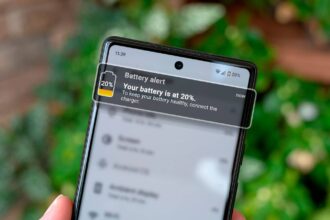
Android phones automatically reduce performance when the battery is struggling. So if after an update your battery starts draining faster, your phone may slow down because the system is trying to manage power. This is common in the first few days after updating. Your phone is doing background work, the battery drops faster, and the phone reduces speed. It becomes a cycle.
Your Phone Might Need a Simple Restart
This sounds too basic, but it works more than people admit. Many users update and never restart their phone properly after. A restart helps Android clear temporary system issues, reload services cleanly, and stop stuck background processes. Sometimes the lag disappears after one clean reboot. Not everything requires a technician.
Manufacturers Sometimes Push Buggy Updates
If we’re being honest, not every update is perfect. Some updates come with bugs, especially on certain phone brands. You might see complaints like “Infinix users report lag after update,” “Samsung One UI update causing battery drain,” or “Pixel update making phones overheat.” Sometimes it’s not your fault at all. The update genuinely has issues. In such cases, manufacturers release another patch later to fix it. So if you notice many people with your same phone model complaining online, it might be a software bug.
Your Phone Settings Might Reset Quietly
After updates, some settings change without you noticing. For example, background apps may start running more, sync may turn on, location may stay active, or battery optimization may reset. All these small things can make your phone feel heavier. It’s worth checking battery settings after updating.
What Nigerians Can Do Immediately If Their Phone Gets Slow After an Update
Let’s make this practical. If your Android phone has become slow after updating, try these simple steps first.
Don't MIss This Article
- Wait 24 to 72 Hours – Give your phone time to settle. Background optimization is real.
- Restart the Phone – A clean reboot fixes a lot of post-update lag.
- Update All Your Apps – Go to Play Store and update everything. Apps need to match the new Android version.
- Free Up Storage Space – Delete unnecessary files, especially WhatsApp media. Try to keep at least 5 to 10GB free.
- Clear Cache for Heavy Apps – Apps like Chrome and Instagram build huge cache. Clearing cache can help performance.
- Check Battery Usage – If one app is draining battery like crazy, uninstall or restrict it.
- Avoid Installing Too Many “Phone Booster” Apps – Most of them do more harm than good. They run ads and slow your phone further.
- If It’s Still Bad After One Week, Consider a Factory Reset – This is the last option. But sometimes, a fresh start makes the phone feel new again. Just back up your files first.
Is It True That Updates Are Meant to Spoil Old Phones?
A lot of people believe companies slow phones down intentionally. On Android, it’s not usually a planned thing. Most times, it’s just that new software demands more resources. Technology moves fast. A phone from 2019 will struggle with Android features built for 2026 devices. So it’s not always conspiracy. It’s system growth.
The Good Side: Updates Still Matter
Even if updates sometimes come with temporary lag, they are still important. Updates bring security patches, new features, better privacy controls, and bug fixes. So avoiding updates forever is not the best idea either. The goal is knowing how to handle the slowdown properly.
My Final Thoughts
If your Android phone got slow after an update, don’t panic. Most times, it’s not permanent. Your phone is adjusting, rebuilding system files, and trying to optimize apps. But storage, old hardware, buggy updates, and misbehaving apps can make it worse. The good news is that with a few simple steps, most people can fix it without stress. Your phone is probably not dying. It’s just going through post-update wahala.
FAQ
Why does my Android phone lag after an update?
Because the phone is optimizing apps and rebuilding system processes in the background.
How long does post-update slowdown last?
Usually 1 to 3 days. Sometimes up to a week on older phones.
Should I stop updating my phone?
No. Updates are important for security, but you should manage storage and keep apps updated too.
What is the fastest fix?
Restart your phone and free up storage space immediately.
Can a factory reset fix update lag?
Yes, in serious cases, a reset can restore smooth performance.