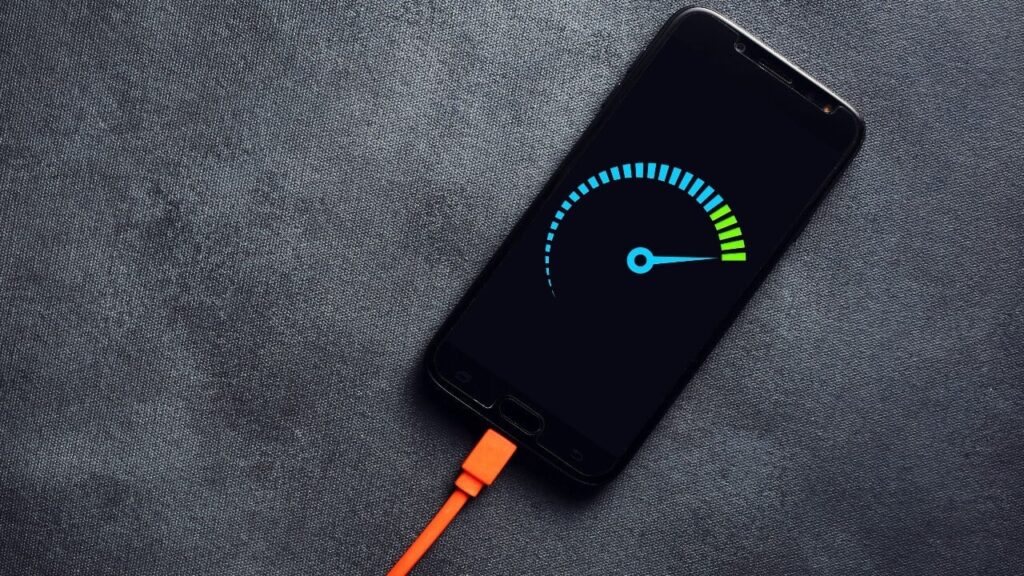
Your phone goes from 0% to 80% in 30 minutes. Amazing, right? Then you unplug it, use it normally for an hour, and the battery is already at 50%. By afternoon, you’re searching for a charger again. Fast charging is great, but if your battery drains just as fast, something’s wrong.
This frustrating pattern is incredibly common, and it’s not just one problem. Multiple factors work together to create this charge-fast-drain-fast cycle. Let’s break down exactly why this happens and what you can actually do about it.
Fast Charging Generates Heat, and Heat Damages Batteries
Here’s the uncomfortable truth about fast charging: it’s not free. The faster you charge, the more heat your battery generates. Heat is the enemy of lithium-ion batteries. It degrades them faster, reduces their capacity over time, and creates the exact problem you’re experiencing.
When you use 65W, 100W, or even 150W fast charging, you’re forcing massive amounts of current into your battery in a short time. This creates heat. Your phone has cooling systems to manage it, but heat still builds up. Over months of regular fast charging, your battery’s maximum capacity decreases.
What used to hold 5000mAh when new might now effectively hold 4200mAh after a year of daily fast charging. That’s 16% capacity loss. You charge to 100%, but that 100% now represents less actual power than it did when the phone was new. So it drains faster because there’s genuinely less battery capacity.
Don't MIss This Article

The damage is gradual and invisible. You don’t wake up one day with a suddenly terrible battery. It slowly gets worse over months until you realize your phone that used to last all day now barely makes it to evening.
You’re Using Your Phone While It’s Charging
This seems harmless, but it’s terrible for battery health. When you charge and use your phone simultaneously, especially with demanding tasks like gaming or video calls, you’re creating a perfect storm of heat.
The battery heats up from charging. The processor heats up from whatever you’re doing. These heat sources combine, pushing internal temperatures higher than either would alone. High temperatures during charging accelerate battery degradation significantly.
Don't MIss This Article

Even worse, using your phone while it’s fast charging often triggers thermal throttling, where the phone deliberately slows down charging to prevent overheating. So not only are you damaging the battery, you’re also not getting the full benefit of fast charging.
Gaming while charging is particularly destructive. The processor is working hard, generating heat. Fast charging is pumping power in, generating more heat. The battery can easily hit 40°C to 45°C, which is well above the optimal temperature range. Do this regularly, and your battery capacity will drop noticeably within months.
Background Apps Are Killing Your Battery
You think you closed that app, but you didn’t. It’s still running in the background, refreshing content, checking for updates, maintaining connections, and draining your battery.
Social media apps are the worst offenders. Facebook, Instagram, TikTok, Twitter, these apps are designed to keep you engaged. They refresh constantly in the background, download content you haven’t even viewed yet, track your location, send notifications, and use significant power doing all of it.
Messaging apps maintain persistent connections to servers so you receive messages instantly. WhatsApp, Telegram, Snapchat, they’re always connected, always listening, always consuming battery.
Email apps sync constantly. GPS apps track your location even when you’re not navigating. News apps refresh articles. Music streaming apps maintain connections. Gaming apps check for updates. All of this happens invisibly in the background.
Don't MIss This Article
You charged to 100% and put your phone in your pocket. But 15 apps are actively doing things you didn’t ask them to do, draining battery while you’re not even using the phone. By the time you check an hour later, you’re at 85% and wonder what happened.
Your Screen Is Brighter Than It Needs to Be
The display is typically the single biggest battery consumer on your phone. A bright screen drains battery fast. An unnecessarily bright screen drains it even faster.
Many people set brightness to maximum because it looks better in certain situations, then forget to turn it down. You’re using 100% brightness indoors where 40% would be perfectly fine. That’s wasting massive amounts of power.
High refresh rate displays make this worse. If your phone has 120Hz or 144Hz, the screen refreshes twice or more as often as older 60Hz displays. This looks incredibly smooth, but it consumes significantly more power. Using 120Hz at maximum brightness is a battery killer.
Always-on displays also contribute. Having your lock screen constantly show time, notifications, and widgets is convenient but uses power continuously. It seems minimal because the display is mostly black, but over a full day, it adds up.
Then there’s screen-on time. If you’re using your phone 6 to 8 hours daily, even with reasonable brightness, the display consumes a huge portion of battery. Combine high usage with high brightness and high refresh rate, and you’ll drain even large batteries quickly.
Your Phone Is Old and the Battery Is Degraded
Batteries don’t last forever. Every charge cycle degrades them slightly. After 500 to 800 full charge cycles, which typically takes 1.5 to 2.5 years of normal use, battery capacity drops noticeably.
A brand new phone might give you 8 hours of screen-on time. After two years, that same usage pattern might only give you 5 to 6 hours. The battery chemistry has degraded. Maximum capacity decreased. The phone charges to 100%, but that 100% represents less power than it used to.
Android phones don’t always clearly show battery health the way iPhones do. You might not realize your battery capacity dropped from 5000mAh to 3800mAh over two years. You just notice the phone dies faster and assume something’s wrong with the software or you’re using it more.
Regular fast charging, especially while using the phone, accelerates this degradation. Heat from gaming, leaving the phone in hot cars, or using it in direct sunlight also damages batteries faster. By the time most people notice significant battery drain, the battery is already degraded beyond simple fixes.
Network and Connectivity Features Drain Power Constantly
Your phone is constantly searching for signals. Cellular network. WiFi. Bluetooth. GPS. NFC. Each active radio uses power. When signals are weak, the phone works even harder, consuming more battery trying to maintain connections.
Poor cellular signal is a massive battery drain. When you’re in an area with weak coverage, your phone increases power to the cellular radio to maintain connection. It constantly searches for stronger signals. This background activity drains battery much faster than being in an area with strong coverage.
Having multiple connectivity features enabled when you don’t need them wastes power. Bluetooth searching for devices. WiFi scanning for networks. Location services tracking your position. NFC ready to make payments. Each individually doesn’t use much, but combined and running all day, they add up.
5G connectivity is particularly power-hungry compared to 4G. If you’re in an area with spotty 5G coverage, your phone constantly switches between 5G and 4G, using extra power managing that transition. Unless you specifically need 5G speeds, forcing your phone to use 4G can significantly improve battery life.
Push Notifications Wake Your Phone Constantly
Every notification lights up your screen, activates the processor, vibrates or makes sound, and uses power. Get 50 to 100 notifications daily across all your apps, and that’s significant battery drain.
Email notifications. Social media notifications. News app notifications. Shopping app notifications. Banking app notifications. Game notifications. Each one wakes your phone from sleep, which uses power. Multiply that by dozens or hundreds daily, and the cumulative effect is substantial.
Group chats are particularly bad. One active WhatsApp or Telegram group can generate dozens of notifications in an hour. Each notification wakes your phone, lights the screen, and uses power. Multiple active groups, and your phone never truly rests.
The solution isn’t just turning off notifications, though that helps. It’s being selective. You don’t need notifications from every app. Most can be disabled completely or set to silent/badge-only mode where they don’t wake your screen.
What You Can Actually Do About It
Understanding why your phone drains fast is pointless without solutions. Here’s what actually works:
Stop using your phone while fast charging. Charge it and leave it alone. If you must use it while charging, do light tasks like messaging, not gaming or video.
Use slower charging when possible. Overnight charging doesn’t need 100W speed. Use a regular 18W or 33W charger. The slower charge generates less heat, preserving battery health long-term.
Reduce screen brightness. Enable adaptive brightness so your phone adjusts automatically. Lower your maximum brightness setting. Switch to 60Hz if your phone allows it and you don’t notice the difference.
Close background apps you’re not actually using. On Android, go to Settings, Apps, and force stop apps that constantly run in background but you rarely use. On both Android and iPhone, restrict background activity for apps that don’t need it.
Disable connectivity features you’re not using. Turn off Bluetooth when you’re not connected to anything. Disable WiFi when you’re out and using mobile data anyway. Switch from 5G to 4G if 5G coverage is inconsistent in your area.
Clean up notifications. Go through every app and disable notifications you don’t need. Leave them on for messaging and calls. Turn them off for everything else unless absolutely necessary.
Check battery usage in settings. See which apps consume the most power. If something unexpected is draining battery heavily, either restrict its background activity or uninstall it.
Consider battery replacement if your phone is over two years old and battery life has noticeably declined. A new battery costs much less than a new phone and can restore performance to like-new levels.
Enable battery saver mode during the day if you know you’ll need your phone to last longer. This reduces performance slightly but extends battery life significantly.
The Bigger Picture
Fast charging is convenient, but it’s not magic. The faster you charge, the more stress you put on your battery. Combined with heavy usage, background app activity, and other factors, you create a situation where your phone charges quickly but also drains quickly.
The solution isn’t avoiding fast charging entirely. It’s using it smartly. Fast charge when you need speed, like before going out. Use slower charging overnight or when you have time. Don’t use your phone during charging. Manage what runs in the background. Keep brightness reasonable. Disable features you’re not using.
Your battery will last longer both daily and over the years. You’ll charge less frequently. Your phone will feel like it did when it was new instead of constantly dying by afternoon.
Fast charging and long battery life aren’t mutually exclusive. But you have to understand how your usage patterns affect battery health and make smart choices that prioritize longevity over convenience. The alternative is replacing your battery every year or buying a new phone every two years because the battery has degraded so much it’s unusable.
Take care of your battery, and it will take care of you. Abuse it with constant fast charging, heavy use during charging, and poor management of power-draining features, and you’ll be stuck in the charge-fast-drain-fast cycle wondering why your expensive phone can’t make it through a day.