There is a quiet Android feature that many Nigerians have enabled without realising it, and it is one of the fastest ways to lose data, drain battery and feel like your phone is working against you. The feature is automatic app updates over mobile data, and in 2026 it has become more aggressive than most people expect.
On newer versions of Android, Google encourages phones to keep apps constantly up to date. On the surface, that sounds like a good thing. Updates bring bug fixes, security patches and new features. The problem is how those updates are delivered. When automatic updates are allowed on mobile data, your phone can start downloading large app updates in the background without warning. For Nigerians using prepaid data bundles, that can wipe out a daily or weekly plan in minutes.
What makes this worse is that modern apps are much heavier than they used to be. Social media apps, browsers and even simple utility apps now ship updates that run into hundreds of megabytes. When several apps update at once, your data disappears silently. Many users only realise what happened when they check their balance and see it has dropped unexpectedly.
Another issue is timing. These updates do not wait for you to be idle or connected to Wi-Fi. They can kick in while you are commuting, tethering, or using your phone lightly. Android treats them as essential maintenance, so they are allowed to run even when you are not actively using the Play Store.
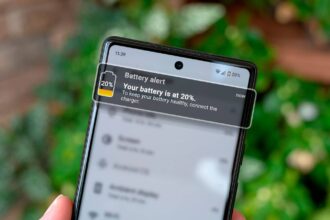
Battery life also takes a hit. Downloading and installing updates in the background keeps your processor active and prevents your phone from entering deep sleep. That is why some phones feel warm or lose battery quickly even when they are not being used much.
Don't MIss This Article

This feature is especially painful in Nigeria because mobile data is not cheap, network quality varies, and many people rely on limited daily bundles. What feels like a helpful system feature in other regions becomes a problem locally.
The fix is simple and immediate. Open the Google Play Store, tap your profile icon, go to Settings, then Network preferences. From there, change app download preference to Wi-Fi only and disable auto updates over mobile data. Once this is done, apps will only update when you are connected to Wi-Fi or when you manually approve an update.
If you still want updates to happen automatically, you can leave auto updates on but restrict them to Wi-Fi only. That way, your phone stays secure without quietly eating your data.
Don't MIss This Article
This is one of those Android features that makes sense on paper but causes real frustration in everyday use. Turning it off does not break your phone, slow it down or make it unsafe. It simply puts you back in control.