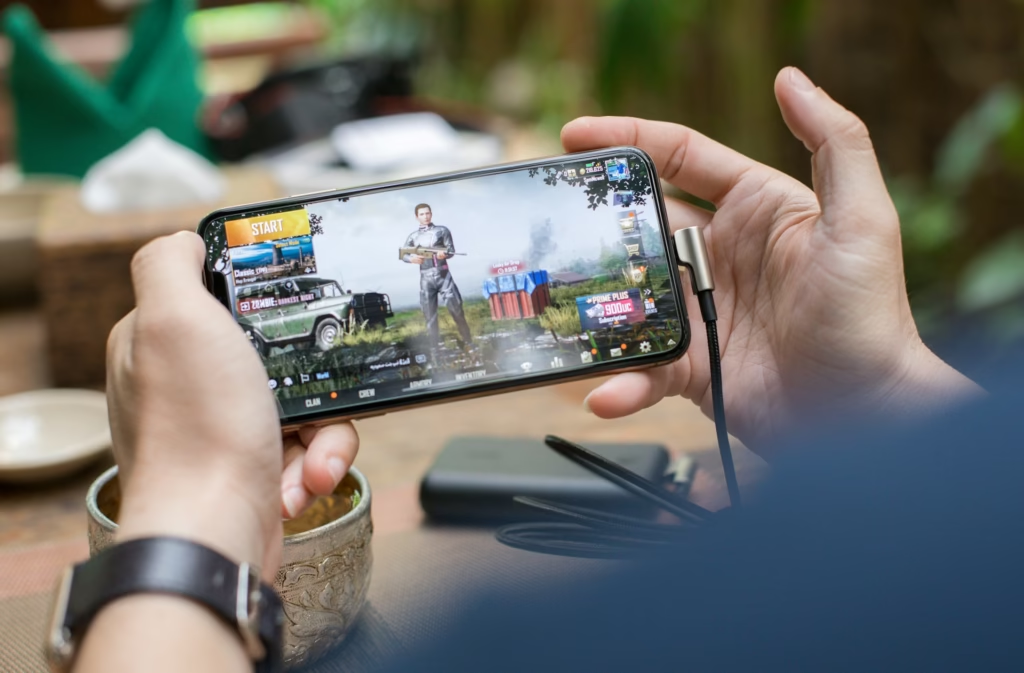
Let’s say, You’re in the middle of an intense gaming session on your Xiaomi phone. Call of Duty Mobile or PUBG or Genshin Impact. The action is heating up, but so is your phone. Within minutes, it’s uncomfortably hot to hold. The performance starts stuttering. Your battery drains faster. Maybe you even get a temperature warning. If you’re gaming on a Xiaomi phone in Nigeria, this probably sounds way too familiar.
The frustrating thing is, you see other people gaming on different brands without these issues. So what’s going on? Why does your Xiaomi get so hot so fast, especially when gaming in Nigeria? And more importantly, what can you actually do about it?
The answer isn’t simple because the overheating problem comes from multiple factors working together. Some are related to Xiaomi’s hardware choices. Others are about Nigeria’s climate. Some are software issues. Let’s break down all five reasons your Xiaomi heats up when gaming, and I’ll give you practical fixes for each one.
Reason 1: Nigeria’s Hot Climate Makes Every Phone Work Harder
Let’s start with the obvious but often overlooked factor. Nigeria is hot. Really hot. According to Wikipedia’s climate data, Nigeria has an average temperature ranging between 21°C and 35°C throughout the year. During the dry season, midday temperatures regularly rise above 38°C.
Here’s why this matters for your phone. Smartphones are designed and tested primarily in temperate climates. Most manufacturer testing happens in environments around 21 to 23°C. When you’re gaming in Nigeria where ambient temperatures are often 30°C or higher, your phone is already starting from a much hotter baseline.
Don't MIss This Article


Think about it like this. Your phone generates heat when gaming. That heat needs somewhere to go. It dissipates into the surrounding air through the phone’s body. But when the air around your phone is already hot, heat dissipation becomes much less efficient. It’s like trying to cool down by jumping into warm water instead of cold water.
According to AnandTech’s thermal analysis, smartphones generally are limited to a combined thermal envelope of around 4 to 5 watts in a 21 to 23°C environment. When ambient temperature rises to 30°C or more, that thermal budget shrinks significantly. Your phone has to throttle performance earlier and more aggressively just to avoid dangerous temperatures.
This affects all phones, not just Xiaomi. But it becomes more noticeable on phones that were already pushing thermal limits to begin with.
Don't MIss This Article
How to fix it:
Game in air-conditioned rooms whenever possible. If you don’t have AC, game during cooler times of day like early morning or late evening. Use a fan pointed at you while gaming. The airflow helps dissipate heat from your phone faster.
Remove your phone case while gaming. Cases trap heat. A bare phone dissipates heat much better than one wrapped in plastic or rubber.
Take regular breaks. Game for 20 to 30 minutes, then let your phone rest for 5 to 10 minutes. This gives the internal components time to cool down before you push them hard again.
Consider getting a phone cooling accessory. Small clip-on fans designed for gaming phones can help. They’re relatively cheap and make a noticeable difference in hot climates.
Reason 2: Xiaomi Uses Powerful But Hot-Running Processors
This is the big one. Many Xiaomi phones, especially the mid-range and flagship models from recent years, use Qualcomm Snapdragon processors that have well-documented thermal problems.
Don't MIss This Article

The Snapdragon 888, which powered phones like the Xiaomi Mi 11 and Poco F3, was notorious for overheating. According to AnandTech’s comprehensive analysis, the Snapdragon 888’s peak GPU performance state consumed around 11 watts of power. That’s an absurd amount for a smartphone. GSM Arena user reports consistently mention thermal issues with Mi 11 devices, with users noting that the Snapdragon 888 thermals are problematic.
Then came the Snapdragon 8 Gen 1, used in phones like the Xiaomi 12 and Poco F4 GT. This was even worse. AnandTech explained that the Snapdragon 8 Gen 1 was manufactured on Samsung’s 4nm process, which “hasn’t lived up to expectations,” leading to the chip developing “an affinity for power consumption.”
User reviews on GSM Arena for the Poco F4 GT paint a clear picture. One user reported running stress tests where the phone went above 100°C and actually caused a second-degree burn from pressing on the aluminum corner near the processor. Multiple users mention that the phone overheats within minutes of heavy gaming.
Qualcomm eventually addressed this by releasing the Snapdragon 8+ Gen 1, which switched from Samsung’s manufacturing to TSMC’s process. AnandTech’s report noted this change allowed for both higher performance and significantly lower power consumption. But many Xiaomi phones on the market in Nigeria still use the problematic 888 or 8 Gen 1 chips.
How to fix it:
Lower your in-game graphics settings. This is the single most effective solution. Drop from Ultra to High or Medium graphics. Reduce frame rate caps from 60fps to 45fps or 30fps. Lower resolution if the game allows it. Your processor works less hard, generates less heat, and the game remains playable.
Enable performance mode cautiously. Some Xiaomi phones have performance modes that push the processor even harder. Unless you absolutely need maximum performance, leave these off during extended gaming sessions.
If you’re buying a new Xiaomi phone, check which processor it uses. Avoid Snapdragon 888 and 8 Gen 1 if overheating concerns you. Look for Snapdragon 8+ Gen 1, 8 Gen 2, or newer chips. These have better thermal characteristics.
For mid-range options, processors like the Snapdragon 870 (used in phones like Poco X3 Pro) actually run cooler than the newer 888 despite being technically older. Sometimes the previous generation is the smarter choice for thermal management.
Reason 3: MIUI/HyperOS Software Isn’t Optimized for Thermal Management
Hardware isn’t the only problem. Xiaomi’s software, whether it’s MIUI or the newer HyperOS, has optimization issues that contribute to overheating.
According to GSM Arena’s community discussions, there’s evidence that Xiaomi phones sometimes fail to throttle properly during intensive tasks. User comments suggest that Xiaomi may manipulate benchmark behavior, potentially running games at lower resolutions than advertised to manage heat, which means the thermal management isn’t transparent or consistent.
Some users on GSM Arena report that HyperOS currently has optimization issues and bugs that affect thermal performance. The software doesn’t always make smart decisions about when to throttle performance or how aggressively to manage heat.
There’s also the issue of background processes. MIUI and HyperOS come loaded with features, some running in the background even while you game. These processes consume CPU cycles and generate additional heat.
How to fix it:
Keep your software updated. Xiaomi regularly releases updates that improve thermal management. According to GSM Arena’s historical reporting, Xiaomi has released updates specifically to optimize thermal control algorithms, adjusting frequency, voltage, and core usage based on chipset temperature.
Close all background apps before gaming. Don’t just minimize them. Actually close them. Go into your recent apps menu and clear everything. This frees up RAM and reduces background CPU usage.
Disable unnecessary features. Turn off WiFi if you’re gaming on mobile data or vice versa. Disable Bluetooth if you’re not using wireless controllers or headphones. Turn off location services unless a game specifically needs them.
Use Game Turbo or Game Mode settings wisely. Xiaomi’s Game Turbo has settings to optimize performance for gaming, but some settings can actually make heating worse by pushing the processor harder. Experiment to find a balance that works.
Consider installing a custom ROM if you’re comfortable with that. Some users report better thermal management with custom ROMs that strip away MIUI’s bloat, but this voids your warranty and requires technical knowledge.
Reason 4: Budget Cooling Systems in Mid-Range Models
Not all Xiaomi phones are created equal when it comes to cooling. Flagship Xiaomi phones often have sophisticated cooling systems with vapor chambers, graphite sheets, and heat pipes. Mid-range and budget Xiaomi phones usually don’t.
AnandTech’s thermal research explains that internal heat dissipation mechanisms like vapor chambers and heat pipes can make a significant difference in sustained performance, but only if implemented properly.
Many mid-range Xiaomi devices use basic thermal solutions that simply can’t keep up with the heat generated by powerful processors during gaming. The heat stays concentrated in the processor area rather than spreading throughout the phone body where it can dissipate more effectively.
How to fix it:
Know your phone’s cooling capabilities before pushing it hard. Research whether your specific Xiaomi model has vapor chamber cooling or just basic thermal paste. This helps you set realistic expectations.
Hold your phone differently while gaming. Some users find that holding the phone by the edges rather than gripping it fully allows better heat dissipation. Your hands aren’t insulating the back of the phone.
Use external cooling accessories. For mid-range Xiaomi phones without advanced cooling, a $5 to $10 clip-on phone cooler can compensate for the basic internal cooling system. This is especially useful in Nigeria’s climate.
Don’t charge while gaming if you can avoid it. Charging generates additional heat. Gaming generates heat. Combine them and you’re overwhelming your phone’s cooling system. If you must charge while gaming, use a slower charger rather than fast charging.
Reason 5: Fast Charging Generates Extra Heat During Gaming Sessions
Speaking of charging, this deserves its own section. Many Xiaomi phones support incredibly fast charging. 67W, 120W, even 180W on phones like the Infinix Zero Ultra (though Infinix is a different brand, many Xiaomi phones have similar fast charging).
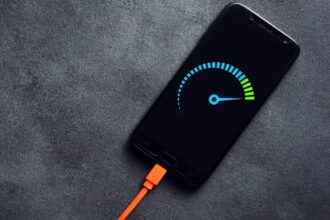
Fast charging works by pushing more power into the battery in less time. This generates heat. Lots of heat. When you’re also gaming, which generates its own heat, the two sources of heat compound each other.
AnandTech’s power analysis shows that during intensive gaming, phones can draw 8 to 11 watts just for the processor and GPU. Add fast charging on top of that and you’re asking your phone’s thermal system to handle way more than it was designed for.
How to fix it:
Never game while fast charging. If your battery is low and you want to keep gaming, here’s what to do. Plug in your phone and take a break for 15 to 20 minutes. Let it charge without gaming. Once it’s got enough juice, unplug and resume gaming.
If you absolutely must charge while gaming, use a slow charger. Use an old 5W or 10W charger instead of your 67W or 120W fast charger. The slower charge rate generates much less heat.
Keep your phone in a cool environment if charging while gaming is unavoidable. Again, air conditioning or a fan makes a huge difference when you’re combining two heat-generating activities.
Monitor your phone’s temperature. If it starts feeling uncomfortably hot while charging and gaming, stop immediately. Continued exposure to high temperatures degrades your battery and can damage internal components.
Consider investing in a power bank and gaming without charging when possible. Charge your phone fully before gaming sessions, then use it unplugged until the battery runs low. This separates charging heat from gaming heat.
Bringing It All Together: Your Complete Heat Management Strategy
Now you understand all five reasons why your Xiaomi phone overheats when gaming in Nigeria. Nigeria’s hot climate, Xiaomi’s processor choices, software optimization issues, basic cooling systems in budget models, and fast charging heat all contribute to the problem.
The good news is that you don’t have to suffer through overheating or stop gaming. You just need a smart strategy that addresses multiple factors at once.
Here’s your complete heat management plan:
Start with your environment. Game in air-conditioned spaces when possible or during cooler parts of the day. Use fans for airflow. Remove your phone case.
Optimize your game settings. Lower graphics quality and frame rates. Your gaming experience won’t suffer as much as you think, and your phone will run dramatically cooler.
Manage your software. Keep MIUI or HyperOS updated. Close background apps. Disable unnecessary features while gaming.
Be smart about charging. Never fast charge while gaming. If possible, don’t charge at all while gaming. Separate these heat-generating activities.
Take breaks. Even with all these precautions, extended gaming sessions generate heat. Take a 5 to 10 minute break every 30 minutes to let your phone cool down.
Consider cooling accessories. A cheap phone cooler can make a huge difference, especially in Nigeria’s climate.
If you’re buying a new Xiaomi phone, do your research. Check which processor it uses. Look for reviews that specifically mention thermals. Avoid phones known for overheating problems.
My Opinion on this issue
Xiaomi phones overheating during gaming in Nigeria isn’t just bad luck or a defective unit. It’s the result of multiple factors. Powerful but thermally challenged processors, Nigeria’s hot climate, software that doesn’t always optimize for heat, basic cooling in mid-range models, and fast charging all contribute.
But now you know exactly why it happens and what to do about it. You don’t need a new phone. You just need to be smarter about how you use the one you have. Lower those graphics settings. Game in cooler environments. Don’t charge while gaming. Take breaks. These simple changes can transform your gaming experience from frustrating to enjoyable.
Your Xiaomi phone is capable of great gaming performance. You just need to help it manage the heat so it can deliver that performance consistently without throttling or overheating. With the strategies in this guide, you can game longer, more comfortably, and without worrying about damaging your phone.
Now get back to your gaming. But this time, do it the smart way.